Computer Repair Cost in Canada 2026: Complete Price Guide
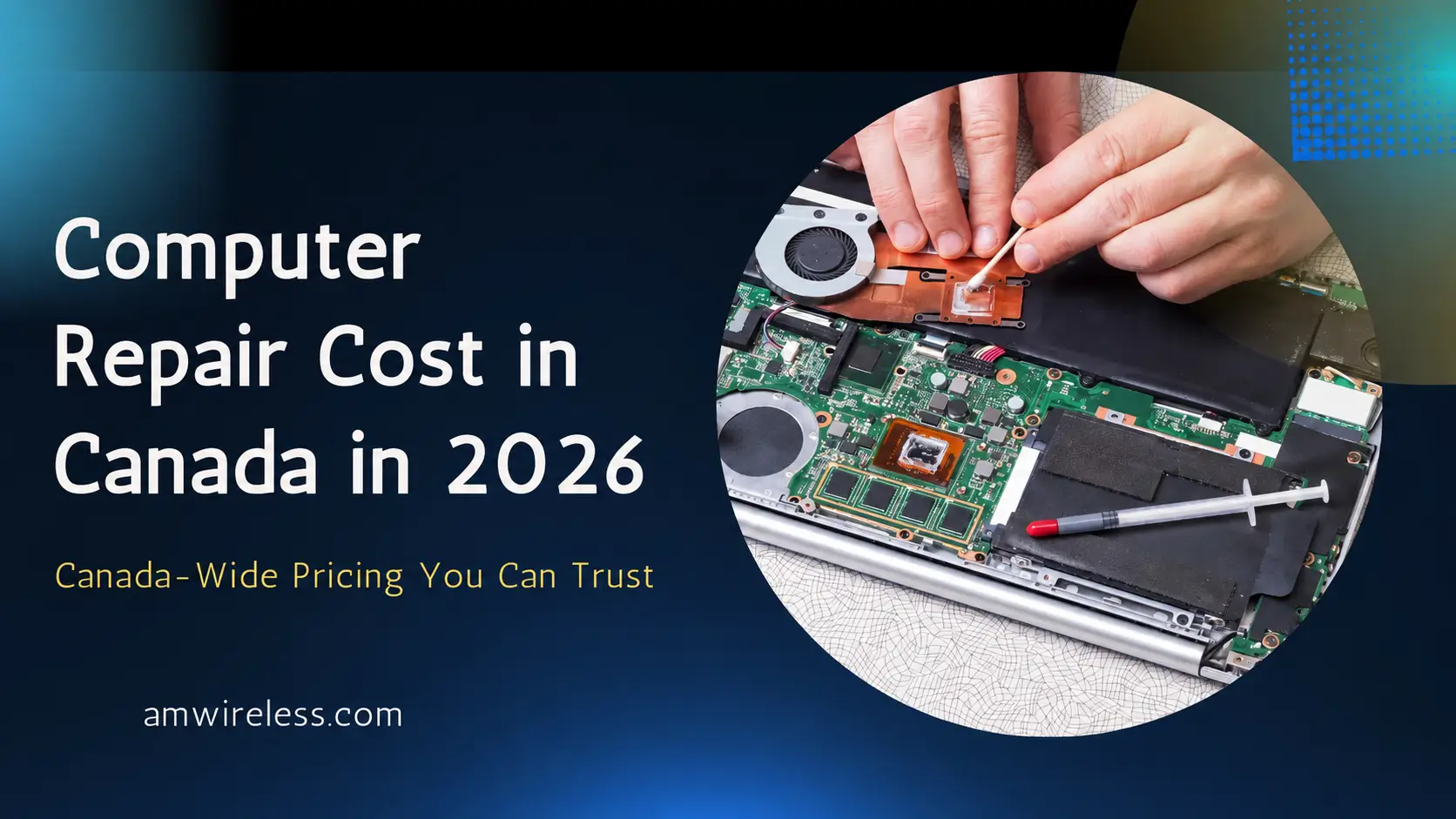
Computer repair in Canada commonly costs around $60 to $500 CAD, depending on the problem, computer type, replacement parts and labour involved.
Basic software troubleshooting, virus removal and cleaning usually cost less. Screen replacement, motherboard repair, liquid damage and data recovery can cost considerably more.
At AM Wireless in Scarborough, customers can bring laptops and desktop computers in for diagnosis before approving a repair. Many common problems can be fixed the same day when the required part is available.
Quick computer repair cost guide
| Computer repair | Typical cost range |
|---|---|
| Basic diagnosis | $0–$80 CAD |
| Virus / malware removal | $80–$150 CAD |
| Windows repair / reinstall | $80–$150 CAD |
| SSD upgrade | $120–$250+ CAD |
| RAM upgrade | $70–$180+ CAD |
| Laptop screen replacement | $120–$350+ CAD |
| Battery replacement | $80–$180+ CAD |
| Charging-port repair | $80–$180+ CAD |
| Fan / cooling service | $60–$120+ CAD |
| Motherboard repair | $150–$500+ CAD |
| Basic data recovery | $150–$500+ CAD |
| Advanced physical data recovery | $500+ CAD |
These are general Canadian price ranges rather than fixed AM Wireless prices. Your final cost depends on the exact computer, required part and condition of the device.
What affects computer repair cost in Canada?
Several factors determine how much a computer repair costs.
Type of computer
Laptop, desktop, Mac and gaming PC repairs can have different costs. Desktop computers often use more standardized components that are easier to access. Laptops have compact internal designs and model-specific screens, keyboards, batteries and charging components.
Gaming computers may use expensive graphics cards, cooling systems and high-performance parts. Mac repairs can require model-specific Apple components and procedures.
Type of problem
A software issue usually requires less labour than a damaged motherboard.
Common lower-cost jobs include:
- Malware cleanup
- Windows troubleshooting
- Software installation
- Basic cleaning
- RAM upgrades
More expensive work can include:
- Motherboard repair
- Data recovery
- Liquid-damage repair
- GPU problems
- Premium display replacement
Replacement parts
The final price depends partly on the replacement component.
A repair provider may use:
- Manufacturer parts
- Original parts
- Refurbished components
- Compatible aftermarket parts
Ask what part will be installed before approving the repair.
Labour required
Some repairs can be completed quickly. Others require extensive disassembly, soldering or component-level diagnosis. The repair shop should explain both the part cost and labour cost when possible.
Part availability
Common computer parts may already be available. Parts for older, premium or unusual models sometimes need to be ordered, increasing the total turnaround time.
Computer repair cost by service
Computer repair prices can vary a lot because each problem requires a different amount of labour, diagnosis and replacement parts.
A simple software issue or virus cleanup may only require troubleshooting and system work, while a damaged motherboard, broken screen or failed storage drive can require new parts and more time. The computer model also affects the final cost because some parts are easier to find and replace than others.
The sections below show typical price ranges for the most common computer repair services in Canada.
Virus and malware removal cost
Virus and malware removal commonly costs around $80 to $150 CAD.
Possible symptoms include:
- Unexpected pop-ups
- Browser redirects
- Severe slowdown
- Unknown applications
- Suspicious startup programs
- Security warnings
- High background CPU activity
The service may include malware removal, startup cleanup and security checks. Some badly infected computers may need an operating-system reinstall.
Windows repair and reinstall cost
Windows repair commonly costs around $80 to $150 CAD.
Possible work includes:
- Startup repair
- Windows reinstall
- Driver troubleshooting
- Update problems
- Boot errors
- Corrupted system files
- Account troubleshooting
Ask whether data backup is included before an operating-system reinstall begins.
Slow computer diagnosis
A slow computer can have several causes.
Common problems include:
- Old hard drive
- Low RAM
- Too many startup programs
- Malware
- Overheating
- Storage almost full
- Background software
- Failing hardware
A diagnosis can identify the cause before you spend money on upgrades.
SSD upgrade cost
An SSD upgrade commonly costs around $120 to $250 CAD or more, depending on storage capacity and labour.
An SSD can improve:
- Startup speed
- Program loading
- File access
- General responsiveness
Possible services include:
- Installing the SSD
- Cloning the old drive
- Installing Windows
- Moving files
- Testing the new drive
Ask whether data cloning is included in the quote.
RAM upgrade cost
A RAM upgrade commonly costs around $70 to $180 CAD, depending on capacity and computer compatibility.
More RAM can help when the computer struggles with:
- Multiple browser tabs
- Office applications
- Photo editing
- Video work
- Large files
- Multitasking
Not every laptop has upgradeable RAM. Some newer machines have memory soldered directly to the motherboard.
Check compatibility first.
Laptop screen replacement cost
Laptop screen replacement commonly costs around $120 to $350 CAD for many models.
Premium screens can cost more.
Price depends on:
- Screen size
- Resolution
- Touchscreen support
- OLED or LCD technology
- Refresh rate
- Connector type
- Laptop model
Gaming screens and premium touch displays can cost considerably more than standard laptop panels.
Battery replacement cost
Laptop battery replacement commonly costs around $80 to $180 CAD or more.
Possible signs of battery wear include:
- Short battery life
- Unexpected shutdowns
- Battery percentage dropping rapidly
- Laptop working only when plugged in
- Battery not charging completely
- Swollen battery
A charging problem does not always mean the battery needs replacement.
The charger, charging port or motherboard can produce similar symptoms.
Charging-port repair cost
Charging-port repair commonly costs around $80 to $180 CAD. The price can increase if the connector is soldered directly to the motherboard.
Possible symptoms include:
- Charger feels loose
- Computer charges only at certain angles
- Charging repeatedly stops
- Charging port looks damaged
- A known-good charger does not work
Test the charger before assuming the computer needs a new port.
Fan and overheating repair cost
Cooling and fan service commonly costs around $60 to $120 CAD.
The service can include:
- Internal cleaning
- Fan inspection
- Dust removal
- Thermal-paste replacement
- Vent cleaning
- Temperature testing
A replacement fan adds the cost of the part.
Motherboard repair cost
Motherboard repairs commonly start around $150 CAD and can exceed $500 CAD.
Possible motherboard problems include:
- Computer will not start
- No charging
- Random shutdowns
- Liquid damage
- Failed power circuits
- Damaged ports
- Short circuits
- GPU-related faults
Motherboard work usually requires detailed diagnosis before an accurate price can be given.
Data recovery cost
Basic data recovery commonly starts around $150 CAD. Complex recovery can cost several hundred dollars or more. Physical recovery from badly damaged drives can cost significantly more.
The price depends on:
- Storage type
- Drive condition
- File-system damage
- Physical failure
- Amount of data
- Recovery method
Stop repeatedly using a drive if it begins clicking, disappearing from the computer or producing serious read errors. Continuing to use a failing drive can make recovery harder.
Desktop computer repair cost
Desktop computer repairs commonly range from around $60 to $500 CAD or more.
Common desktop work includes:
- Power-supply replacement
- RAM replacement
- SSD installation
- Graphics-card diagnosis
- Fan replacement
- Windows repair
- Motherboard diagnosis
- Component upgrades
Desktop computers can sometimes be easier to repair because many components are replaceable individually.
Laptop repair cost
Laptop repairs commonly range from around $60 to $500 CAD or more.
Typical repairs include:
- Screen replacement
- Battery replacement
- Keyboard repair
- Charging-port repair
- Fan problems
- Storage upgrades
- Motherboard repair
Laptop design has a major effect on labour and part prices. For a more detailed breakdown, see our Laptop Repair Cost in Canada 2026 guide.
Mac and MacBook repair cost
MacBook and other Apple computer repairs can cost more than basic Windows PC repairs, depending on the model and fault.
Common Mac repairs include:
- Display problems
- Battery replacement
- Keyboard problems
- Charging issues
- Logic-board repair
- Liquid damage
Check AppleCare or any remaining Apple coverage before paying for independent repair.
Gaming PC repair cost
Gaming PC repairs vary widely because gaming computers can use expensive components.
Common issues include:
- GPU problems
- Cooling faults
- Power-supply failure
- Motherboard problems
- RAM problems
- Storage failure
- Driver and software issues
A high-end graphics card or motherboard can significantly increase the cost of repair. Diagnosis should identify the failed component before replacement parts are purchased.
Liquid-damaged computer repair cost
Liquid-damage repairs cannot be priced accurately until the computer is inspected.
Liquid can damage:
- Keyboard
- Motherboard
- Battery
- Charging system
- Storage
- Internal connectors
If liquid enters your laptop or computer:
- Disconnect power.
- Turn the computer off when possible.
- Do not repeatedly try to start it.
- Avoid using direct heat.
- Arrange an inspection.
Corrosion can continue after the outside of the computer appears dry.
How long does computer repair take?
Many common computer repairs can be completed the same day.
Examples can include:
- Virus removal
- Windows troubleshooting
- RAM upgrades
- SSD installation
- Cleaning
- Some screens
- Some batteries
More complicated work can take longer. Motherboard repair, liquid damage and advanced data recovery may require several days. Part availability can also affect turnaround time.
Same-day computer repair in Toronto
Same-day repair depends on the problem and whether the required part is available. Software problems and simple component replacements are more likely to be completed quickly. Call the repair shop before visiting when you need the computer returned the same day.
Computer repair cost in Toronto and Scarborough
Toronto repair prices depend on the same factors as elsewhere in Canada: the problem, computer model, replacement part and labour. If you are comparing local repair providers, our guide to the best computer repair shops in Toronto can also help you compare your options.
AM Wireless provides computer and laptop repair from its Scarborough location:
AM Wireless
3021 Kingston Rd
Scarborough, ON M1M 1P1
Phone: +1 647 350 3939
Common services include:
- Desktop computer repair
- Laptop repair
- Software troubleshooting
- Slow computer diagnosis
- Screen repair
- Battery problems
- Storage upgrades
- Charging issues
- Overheating
- Hardware diagnosis
AM Wireless provides free diagnosis before repair and confirms the repair price before work begins. Many common repairs can be completed the same day when parts are available.
AM Wireless computer repair warranty
AM Wireless provides a 10-day warranty on parts and labour for covered computer repairs. Keep your receipt and contact the shop promptly if a problem related to the repaired part or workmanship appears during the warranty period.
New physical damage, liquid exposure or an unrelated fault is separate from the original repair.
How to choose a computer repair shop
Price should be one part of the decision.
Ask these questions before authorizing work:
- Is diagnosis free or paid?
- What is the total repair price?
- Does the quote include labour?
- What replacement part will be used?
- How long should the repair take?
- What warranty applies?
- Will you contact me before doing additional work?
- Will my files need to be accessed?
- Can my data be backed up first?
- What happens if the repair does not solve the problem?
Clear answers make it easier to compare repair providers.
Local shop vs big-box repair service
Repair costs differ from business to business.
A local independent shop may offer a competitive quote for some repairs. A larger chain may have easier access to specific parts or standardized repair procedures.
Compare:
- Diagnosis
- Part cost
- Labour
- Warranty
- Turnaround
- Repair experience
- Data handling
Ask for the complete price before deciding.
How to save money on computer repair
Diagnose the problem first
Avoid purchasing replacement parts before confirming what has failed.
Compare quotes for expensive repairs
A second quote can be useful for motherboard repair, data recovery or expensive display replacement.
Fix problems early
A loose charging port, failing fan or damaged hinge can sometimes cause additional damage if ignored.
Back up your files
A current backup can reduce the cost and stress of storage failure.
Keep the computer clean
Dust can restrict airflow and contribute to overheating.
Is it worth repairing a computer?
The decision depends on the computer and repair.
Consider:
- Age
- Performance
- Processor
- RAM
- Storage
- Software support
- Repair quote
- Other existing problems
- Cost of a replacement computer
A single repair or inexpensive upgrade can make sense when the computer still performs well. Several expensive faults on an old computer can make replacement a better financial decision. There is no fixed percentage that works for every computer.
What to do before taking your computer for repair
Back up important files
Create a recent backup if the computer still works.
Bring the charger
Bring the power adapter when the problem involves a laptop, battery or charging issue.
Know your model
The exact model helps the technician identify compatible replacement parts.
Photograph the computer
Take photos of the device before leaving it at the shop.
Explain the problem clearly
Tell the technician:
- When the problem started
- Any error messages
- Whether the computer was dropped
- Whether liquid was spilled
- Whether it was repaired previously
- Any unusual sounds or smells
Specific information can reduce diagnostic time.
Frequently Asked Questions
How much does computer repair cost in Canada?
Many common computer repairs cost around $60 to $500 CAD. Basic software work usually costs less, while motherboard repair, physical data recovery and premium replacement parts can cost more.
What is the average computer repair cost?
Many routine computer repairs fall around $80 to $250 CAD. The average is less useful for complex repairs because a virus cleanup and a failed motherboard require completely different work.
How much does computer diagnosis cost?
Computer diagnosis can range from free to around $80 CAD, depending on the repair provider. AM Wireless provides free diagnosis before repair.
How much does motherboard repair cost?
Motherboard repair commonly starts around $150 CAD and can exceed $500 CAD, depending on the fault.
How much does data recovery cost?
Basic data recovery commonly starts around $150 CAD. Advanced physical recovery can cost $500 or considerably more depending on the drive condition and recovery method.
Can computer repair be completed the same day?
Many software repairs, upgrades and common component replacements can be completed the same day when the required part is available.
Complex hardware repairs may take longer.
Should I repair my computer or buy a new one?
Compare the repair quote with the computer’s age, specifications, condition and replacement price. A computer with one repairable problem may still be worth fixing. Several expensive problems on an old machine can make replacement more practical.
Where can I get computer repair in Scarborough?
AM Wireless provides computer and laptop repair at: 3021 Kingston Rd, Scarborough, ON M1M 1P1. Call +1 647 350 3939 to confirm diagnosis, current pricing and repair availability.
Get a computer repair quote in Scarborough
If your computer is slow, overheating, showing errors, refusing to start or having a hardware problem, AM Wireless can inspect it before you approve the repair.
Visit:
3021 Kingston Rd, Scarborough, ON M1M 1P1
or call:
+1 647 350 3939
Bring the computer model and laptop charger when possible so the problem can be diagnosed accurately.

One Comment